


| 03-03-2003, 06:35 AM | #16 |
i really like this exporter i make everything do what i want it to do. No stupid errors to be seen. There is less things to think about when your using this exporter. Its great, the one for max almost never worked for me so i think you should increase your exporter's capabilities. |
| 03-03-2003, 01:04 PM | #17 |
to get the fps work correctly you only have to create them with 24 fps the exporter multiplys it with 41.666 (or 1000/24 as it is standing in the readme) so you only have to correct the head like I explained above C U Ced |
| 03-03-2003, 04:08 PM | #18 |
could i see something you guys have done? i have never seen a fully animated model ingame other than the ones that i made. |
| 03-03-2003, 05:23 PM | #19 |
IM currently doing the genestealer modell for the space hulk campaign ill show it when it moves |
| 03-03-2003, 09:18 PM | #20 |
I have animations, but I still can't get them ingame. I know I must just be screwing something up with the heading when converting from mdl to mdx but I don't know where. ~kharma |
| 03-05-2003, 02:17 PM | #21 |
well I have the problem that war3file converter won't recognise the mdl as an mdl emote_sweat it says unknown file format |
| 03-05-2003, 06:46 PM | #22 |
check other models headings to get the correct structure. But there is an example in the zip file. Everything you need to know is in the readme. Just follow all the steps and it will be correct. Ive done it a couple of times now and it allways works. |
| 03-05-2003, 06:59 PM | #23 |
same problem with me I can get the unit in the world editor but I can't get it in a w3m but there is a screenshot on our Homepage 00048.jpg |
| 03-06-2003, 07:59 AM | #24 |
ah I think I must have had an old version cause there was no example in the version I got *downloads new version* |
| 03-10-2003, 11:37 PM | #25 |
here a new screenshot the first unit will be finished within this week 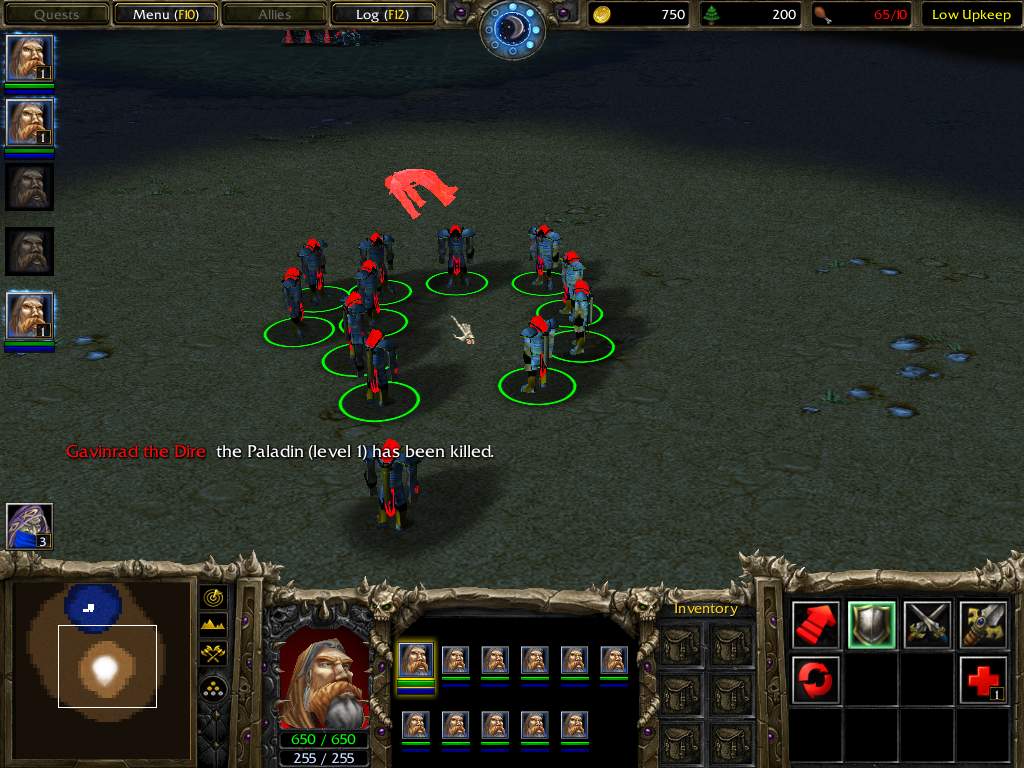 C U Ced |
| 04-11-2003, 05:07 AM | #26 |
I think I should point out something very important to people using this tool which isn't clear. This converter uses the the Milkshape Axis directions so eg Z forwards/backwards Y Up/down and X side to side whereas WC3 uses Z up/down, X side to side, and Y forwards backwards. I did not know this when I did my elven Destroyer model hence the UV Wrapping problems, I was making it in WC3 Axis so I'm going to have to redo the UV map to get it to work but I think it should be clear that this is the case. |
| 04-24-2003, 05:28 AM | #27 |
ok converter's working great for me now it exports UV map and everything so I animated a model exported it but now I'm stuck on the editing the headed bit so I got a question: in the readme it says about the numbers for the beginning and end of the sequence, well are these the two numbers in the bit which says "Interval"? also do I need to do anything about the min/max extents cause file converter crashes with an unexpected token error :( |
| 04-24-2003, 08:44 AM | #28 |
hi here a example the important part is the interval I normaly use 6 frame steps in MS so the framenumbers in the mdl are in 250 steps I hadn't changed the min ans max extent in my models the best way is to copy the sequences from the base model (the unit you use as base model in the WE) and only change the order and the interval Sequences 1 { Anim "Stand" { Interval { 250, 1500 }, MinimumExtent { -39.8212, -54.5455, 2.83944 }, MaximumExtent { 86.3051, 57.5315, 137.379 }, BoundsRadius 88.4526, } } the unexpected token error is mostly a "}" or a space that is missing somewhere (only in the parts you pasted) if you insert a new objekt like a collisions shape don't forget the pivot point and search in your mdl for any "ind" parts if you have "ind" in the 'normals' just copy a line that is above or under that line that are the most common problems if the fileconverter creates an error the other error is found grabs in the objectid but that should explain itself :o) I hope that helps C U Ced |
| 04-24-2003, 09:22 AM | #29 |
I was hoping you'd reply Ced :D Thanks that should help a lot. I'll try it and get back to you. |
| 04-24-2003, 05:07 PM | #30 |
ok thanks to Ced I can get animations to convert properly and everything thanks Ced. Anyway has anyone had any luck with Particle Emitters with new models cause I tried attaching them to some of the bones in this model of mine and they all just collected at the feet :-/ any help would be appreciated. Thanks |