


| 06-12-2008, 06:21 PM | #1 |
Texture for Arthas (advisable with sword.), thus "Textures\Arthas.blp" EDIT: Added new version. In-game screenshot could still apply since it's meant to show it works. |
| 06-12-2008, 06:23 PM | #2 |
i know hes a vampire, but his head doesnt work with his body, imo its way to white to go with the red/orange armor. |
| 06-12-2008, 06:38 PM | #3 |
I lol'ed at the zip-file's name. |
| 06-12-2008, 07:22 PM | #4 |
Okay, so there are two things that could use improvement on this skin: the face looks weird, and the rest of him seems pretty monotone. |
| 06-12-2008, 07:34 PM | #5 |
Thank God I didn't make his armour black and silver. |
| 06-12-2008, 07:40 PM | #6 |
I see a sudden resemblance: 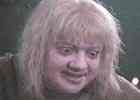 |
| 06-12-2008, 09:42 PM | #7 |
portrait face is deadly awesome <3 |
| 06-13-2008, 01:14 AM | #8 |
Not too big on the face, personally. His armor is a little color-bland (although the design itself isn't too bad), and frostmourne doesn't fit with the skin at all. PS: Your zip file says "VampireCunt". Might wanna fix that. |
| 06-13-2008, 04:51 AM | #9 |
Take it as you will, I leave my heart on my sleeve for you, sir.
|
| 06-13-2008, 06:33 PM | #10 |
Stop spamming this thread. If you have nothing productive to say, go spam in the OT forum where your retardation is moderately tolerated. Deleted the ridiculous posts. |
| 06-14-2008, 05:54 AM | #11 |
I took some of the advice you gave me, Rising_Dusk. * I personally like the hair, and I don't interpret the shading as abominable. * Gave him lips. * Re-made the cape.. * It was intentional, as it's supposed to mimic bat wings, even though it's a lot less obvious on the model. * Done. * Gave the scales a different tone. Yes, they're in the same order in which you wrote them. Also, you can check the unwrap. |
| 06-14-2008, 06:13 AM | #12 | |
Quote:
|
| 06-14-2008, 06:40 AM | #13 |
Dio, i mentioned this earlier on the Hive, try working on a black background - the white background throws off your shading. *checks wrapped* yep, as i thought - particularly the white at the front of his hair. It appears as a big area of blinding white, and remembering that the portrait background is black, contrasts like no tomorrow. try changing the background to black, you'll be able to see where the contrast is too high. Or, at least add more dark lines to his hair to show where the clumps/strands are. Aside from that, its looking very good. |
| 06-14-2008, 06:43 AM | #14 |
A bit hard to change the background now. |
| 06-14-2008, 06:58 AM | #15 | |
Quote:
I still think the hair is ridiculously blinding, it needs to be shaded and darkened a bit big time. Also, the left (His left) shoulder wraps funny, you should probably split it so it's a full skull on both sides of the shoulder, rather than one gigantic one. I just broke my computer and have to restart, then I'll check it wrapped again and see if I'm spewing shit or good stuff. EDIT: Yeah, just wrapped it. The face is really blinding too and could use some more color variation. I don't care how much of a vampire you are, your skin color does not reflect all colors of light perfectly. Also, the shading around the nose is a little choppy, could use some love. And the shoulder would definitely look better with some better wrap adjustment. Other than the fleshy parts, the skin is really coming along nicely. |