HomeUser Control Panel (unavailable in archive)ForumsTutorialsArt GalleryResourcesMaps

Changing ingame font?

08-27-2008, 03:29 PM#1
Vestras
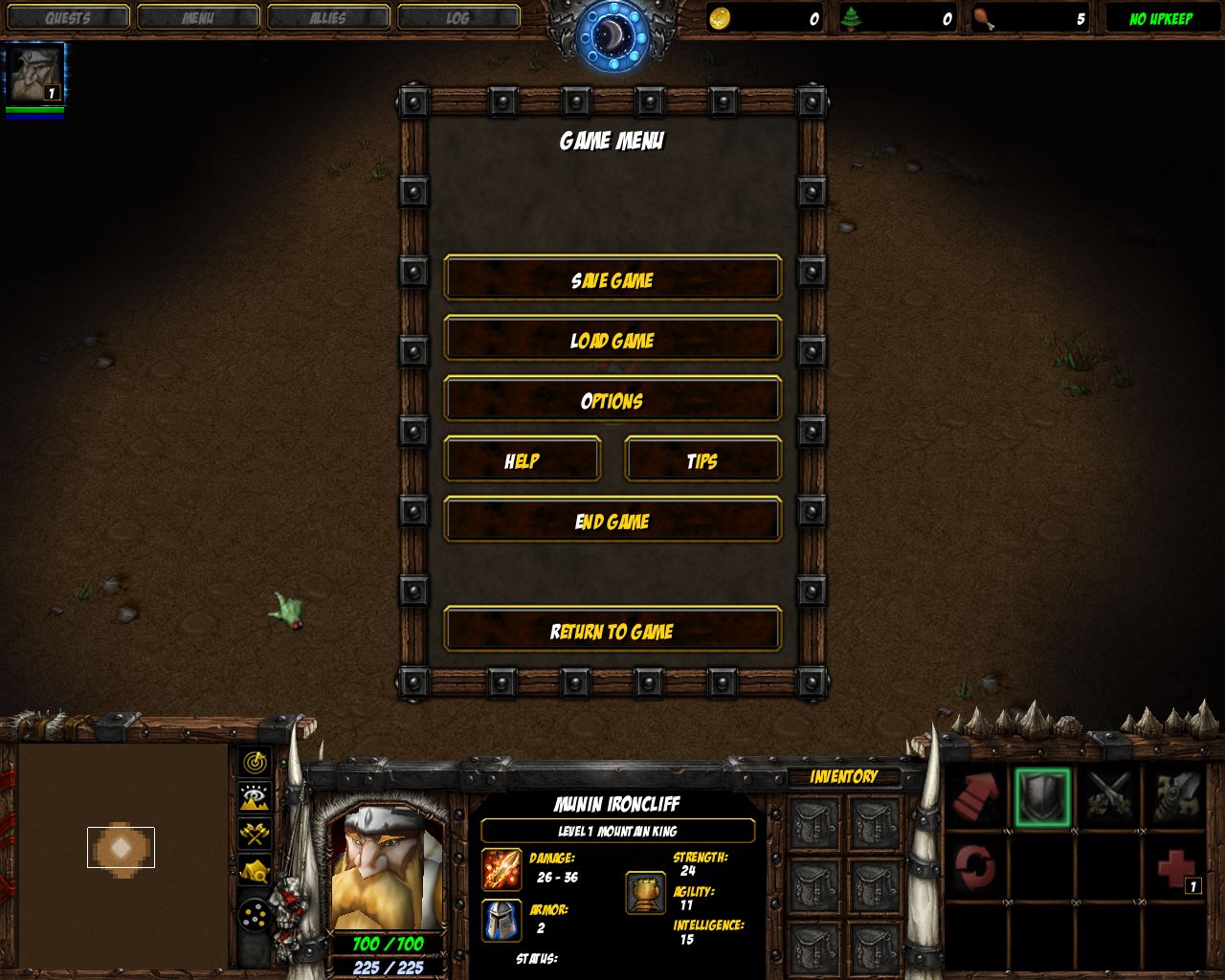
How to? I thought it was impossible for one map and not the whole game, but this pic proves me wrong; (yes, I have taken the pic)

Hidden information:
08-27-2008, 05:43 PM#2
Toadcop
hmmmm just tested several ways... and i couldnt replace the ingame font via map. and i know the reason. fonts get loaded on game start. but i am not 100% sure...
08-27-2008, 06:11 PM#3
Vestras
So what's the conclusion?
08-27-2008, 07:05 PM#4
Ammorth
Do you have a copy of the map?

Can you tell us more of what happened before and after?
- Did you play a map before?
- Did you play a map after?
- Did you notice anything in the games before or after?
08-28-2008, 12:41 AM#5
DioD
You can replace font for entire game via MPQ editor.

Fonts loaded with game and wont load again with map.
08-28-2008, 01:38 AM#6
rulerofiron99
Try registry. However, this won't affect other players.
08-28-2008, 04:25 AM#7
DioD
Post map here, or link to it.
Then we will see.

Font on this screen looks like standart.
08-28-2008, 02:17 PM#8
Vestras
http://www.hiveworkshop.com/forums/r...Dlist%26r%3D20
08-28-2008, 03:01 PM#9
Alexander244
I just tested adding the following stuff to the war3mapSkin.txt file (Some random font in the mpq). It altered the game font from the time said map finished loading to the time another map finished loading. (Including the out of map menus).
war3mapSkin.txt:
[CustomSkin]
MasterFont=Fonts\tt5500m_.ttf
MessageFont=Fonts\tt5500m_.ttf
ChatFont=Fonts\tt5500m_.ttf
EscMenuTextFont=Fonts\tt5500m_.ttf
InfoPanelTextFont=Fonts\tt5500m_.ttf
TextTagFont=Fonts\tt5500m_.ttf
Edit: Same result with an imported font:
Click image for larger version

Name:	Screenshot.jpg
Views:	54
Size:	189.3 KB
ID:	36895Click image for larger version

Name:	Screenshot2.jpg
Views:	48
Size:	155.0 KB
ID:	36898
Edit2: The fonts for chat messages and floating text don't get reloaded at map initialization, so ChatFont and TextTagFont will do nothing.

Attached Images
File type: jpgScreenshot.jpg (189.3 KB)
08-28-2008, 03:41 PM#10
Vestras
Okay, nice, so where is this wc3mapSkin.txt file located? And when I've edited it, should I then just import it to the map?
08-28-2008, 03:56 PM#11
Alexander244
Open the map with an MPQ editor and extract it (Or make a new txt file if it's not there).
Import it with the path "wc3mapSkin.txt".
08-28-2008, 10:39 PM#12
DioD
This is UMSWE option, its included in NewGen Editor.

And do not change fonts, localized versions of wc3 have special font with native language support, if you change it, users wont able to use native language to chat.