


| 10-29-2009, 01:14 PM | #1 |
Alot of the custom aura's seem to always have a problem where they get distorted on uneven ground, i.e. the ground/lanscape begins to overlap the aura. With all the standard in game blizz aura's this never happens. So basically, am asking is there a simplistic way to fix this? A few settings perhaps that can be changed in the model editor. Just as an example here is Daelin's Holy Aura: 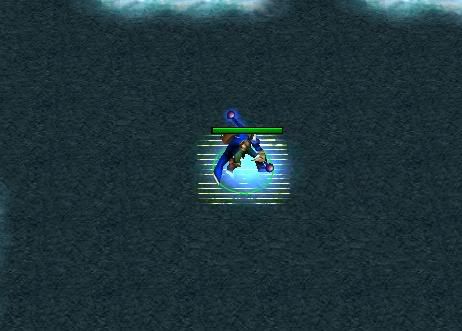 |
| 10-29-2009, 01:54 PM | #2 |
There is no "real" answer to this; it's happening because the model's origin is now below areas of terrain around it, so naturally the terrain is above the aura geometry. Looking at your main screenshot, all I can say is that the geometry is way too close to the ground -- that looks more like Z-fighting to me than the usual terrain overlap. A lot of the in-game auras are actually quite high off the ground, so all I can suggest is use something like Magos' or Vertex Modifier to shunt all the geometry up a unit or three. If it's an emitter rather than geometry, then Magos' Node Manager the emitter's position up a few instead. |
| 10-29-2009, 02:33 PM | #3 |
Thx alot it works fine now:  Was just a bitch to increase every geometry vertex up to 15, there being at least 20-30 of em or so. |
| 10-29-2009, 05:33 PM | #4 |
You could have selected all of them at once? No matter, at least it did the job. |
| 10-29-2009, 06:13 PM | #5 |
I'll probably have to do this again with other auras, so sorry how can you select all at once? I'm using 'War3 Model Editor' aka Magos. - Goeset Manager > Open up each Geoset, edit its Vertices. - Can't see a 'select all' thx |
| 10-29-2009, 06:43 PM | #6 |
Magos' Model Editor has a model editing function akin to Vertex Modifier (though a lot more primitive). Windows -> Model Editor In this you can drag select (no easy deselection, but that's not a problem here). This isn't an original feature, so make sure you've got 1.07 from his website (see stickies) if you don't already. |
| 10-30-2009, 07:50 AM | #7 |
Rao Dao Zao, you can hold "SHIT" and drag over selected vertexes to deselect them. |
| 10-31-2009, 10:19 AM | #8 | |
Quote:
|